Earbuds buying guide for Pakistan: ANC, codecs, battery, fit and fakes
ANC, ENC, LDAC, IP54, “40 hours”: what each earbud spec really means for your phone and your ears, and how to check AirPods with Apple’s own tools.
Mobile Sahab · 11 Oct 20266/128, 8/256 or 12/256? Match the RAM and storage to the way you actually use your phone, and stop paying for numbers you will never feel.
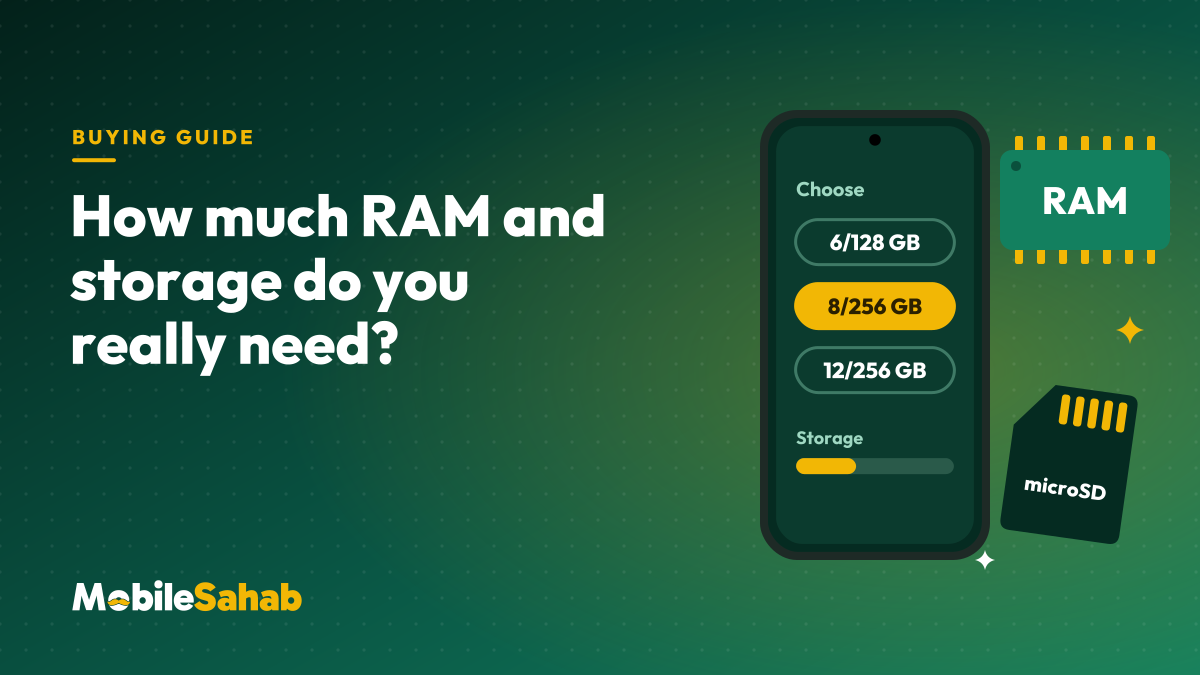
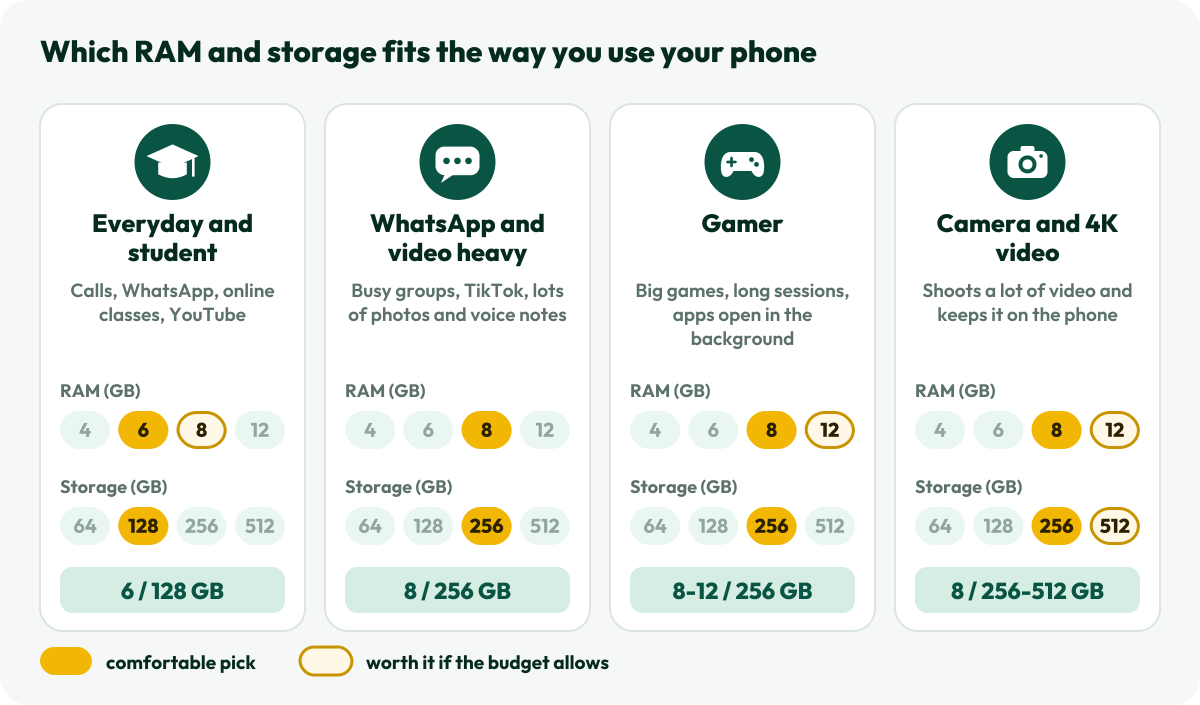
Every phone on our product pages carries a small chip like 8/256: that means 8 GB of RAM and 256 GB of storage. Choosing the right RAM and storage matters more than most spec-sheet numbers, because RAM can never be upgraded and storage only ever fills up. Kitni RAM chahiye? Less than the box suggests for some people, more for others. Here is how Mobile Sahab would choose, profile by profile.
RAM is the phone’s working memory, the desk where open apps sit while you use them. Storage is the cupboard: Android itself, your apps, photos, videos and every WhatsApp file live there, even when the phone is off.
Android is built to keep RAM busy. Google’s developer guide puts it plainly: “free memory is wasted memory”. Apps you leave are kept in memory so you can jump back quickly, and when memory runs short, Android’s low-memory killer closes background apps first (Android Developers). So a phone showing little free RAM is normal. What you actually feel is how many apps stay open before Android starts closing them.
| You mostly… | RAM | Storage | Why |
|---|---|---|---|
| Call, chat, attend online classes, watch YouTube | 6 GB | 128 GB | Light apps, and most video streams instead of being saved. |
| Live on WhatsApp, TikTok and Instagram, save lots of photos | 8 GB | 256 GB | Photos, videos and voice notes from groups pile up every day. |
| Play big games for long sessions | 8 to 12 GB | 256 GB | Games are large, updates are large, and more RAM keeps the game open while you reply on WhatsApp. |
| Shoot a lot of video, especially 4K | 8 GB or more | 256 GB or 512 GB | 4K video is the fastest way to fill a phone. |
These are our comfortable picks for keeping a phone happily for two to three years. If the budget only stretches to one upgrade, most people feel the jump from 128 GB to 256 GB more than the jump from 8 GB to 12 GB of RAM.
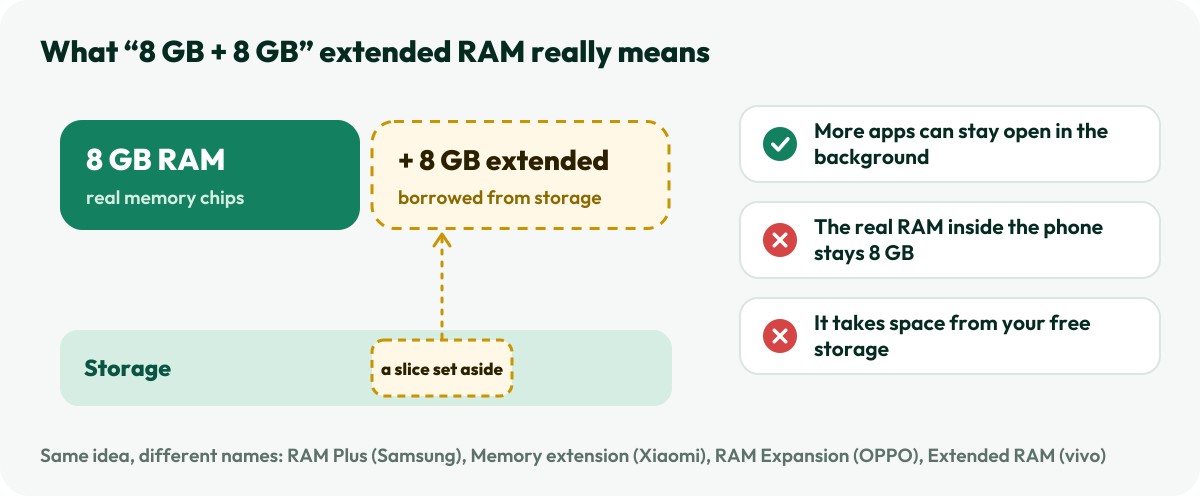
Many phones now advertise “8 GB + 8 GB” or “up to 16 GB RAM”. The second number is not extra memory chips. The phone sets aside part of its storage to act as backup working memory. Samsung calls it RAM Plus, Xiaomi Memory extension, OPPO RAM Expansion, realme Dynamic RAM Expansion and vivo Extended RAM. Samsung’s own help page says RAM Plus uses part of your internal storage, which can reduce the space left for apps and files (Samsung).
What it can do: let a few more apps stay open in the background. What it can’t do: turn an 8 GB phone into a 16 GB one. Android itself avoids using storage as swap space, because frequent writes wear out flash memory; it compresses data inside RAM instead. So when you compare phones, compare the first number, the real RAM, and treat the “+8 GB” as a bonus. On Samsung phones it sits under Settings > Battery and device care > Memory > RAM Plus.
Part of the space is gone before you save a single photo, and the rest disappears a little every day:
A microSD slot is a cheap way to add space, but not every phone has one, so check the spec sheet, and check whether the card uses the second SIM slot. Android can use a card in two ways (Android Help):
Either way, a card is best for media. Apps and games run best from the phone’s own storage, which is why we would rather you buy enough of it on day one.
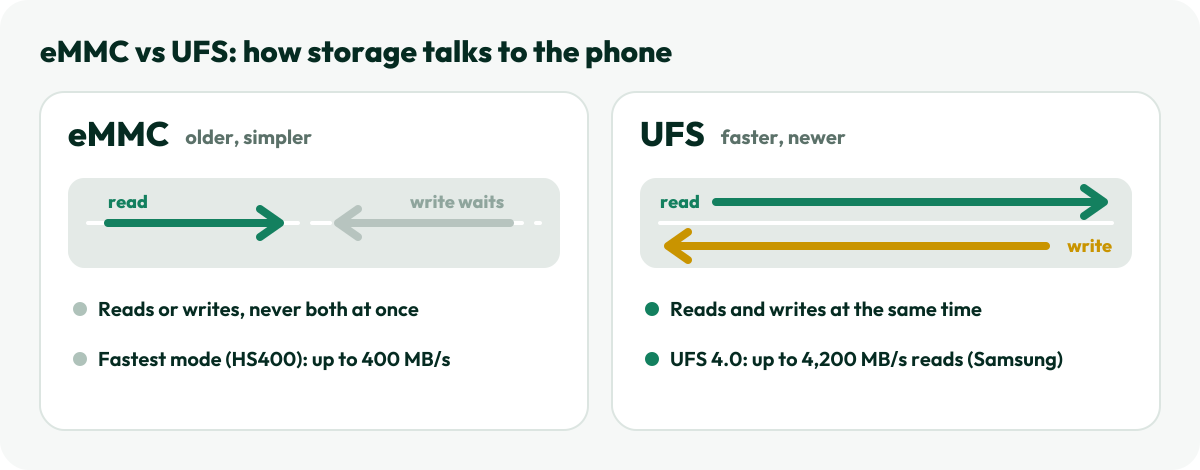
Storage has a speed too, and the spec sheet tells you the type:
Faster storage helps most when you install and update apps, load big games, copy files and record long videos. Two phones with the same 8/256 can feel different if one uses eMMC and the other UFS, so glance at that line before you decide.
On every phone page, the versions sit under RAM / Storage as chips such as 6/128GB, 8/256GB and 12/256GB, each with its own price. Tap one to open that exact version. If you have picked a colour that a version doesn’t come in, its chip dims and says so, so you never order a combination that doesn’t exist.
Torn between two versions or two phones? Tap the compare icon on each product page and see up to three side by side on our compare page, or browse all PTA-approved mobiles by brand, from Samsung to Infinix. Every phone we sell is new, box-packed and PTA approved, and we check each unit before dispatch. When yours arrives, our box-pack check guide shows how to confirm it is the exact version you ordered.
For calls, WhatsApp, social apps and YouTube, yes for most people. If you game heavily or keep many apps open, 8 GB is the more comfortable choice.
If you back up photos and clear WhatsApp media now and then, yes. If you shoot lots of video or never delete anything, go for 256 GB.
Not the way real RAM does. Brands say it lets more apps stay open in the background, but the phone’s real RAM stays the same and the extra comes out of your storage. Compare phones on the first number.
RAM, never. Storage only with a memory card, and only if the phone has a slot. That is why it pays to choose well on day one.
ANC, ENC, LDAC, IP54, “40 hours”: what each earbud spec really means for your phone and your ears, and how to check AirPods with Apple’s own tools.
Mobile Sahab · 11 Oct 2026A shop’s stamp and a brand’s warranty are different promises. Here is what each covers, where to check a phone’s warranty on the brand’s own site, and how to claim.
Mobile Sahab · 11 Oct 2026The mAh on the box is counted at 3.7 V, not at the 5 V your phone gets. Here is the real arithmetic, plus fast-charge support, safety and the 2026 rules for flying.
Mobile Sahab · 11 Oct 2026