Box-pack phone check: how to verify a new phone at unboxing
A refurbished phone can look just as shiny as a new one. This ten-minute box-pack phone check, built on the checks we run before dispatch, tells you which one you are holding.
Mobile Sahab · 6 min read
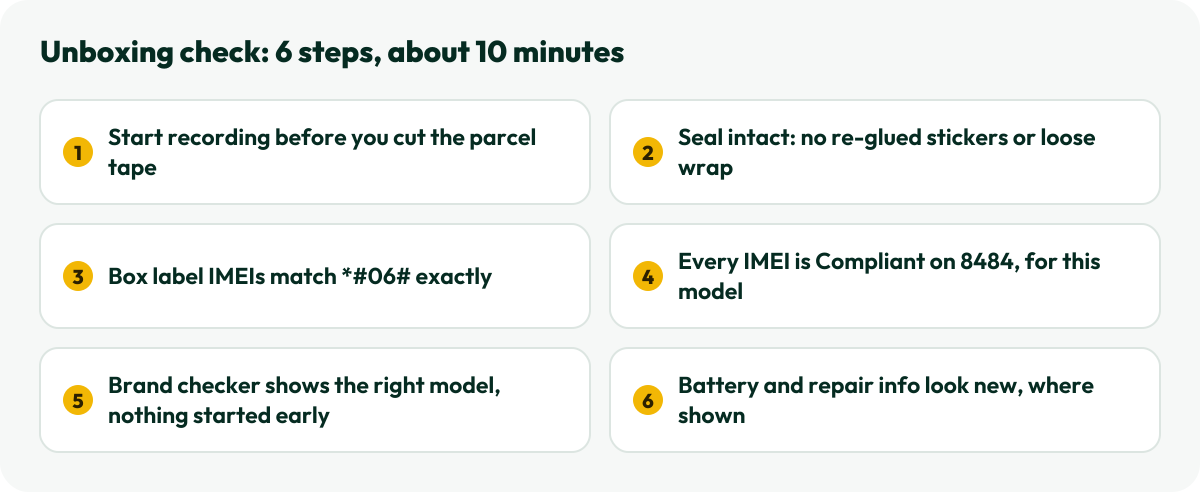
A box-pack phone should reach you exactly as it left the factory: sealed, never activated, with the same IMEI on the box, in the phone and in PTA’s records. Refurbished and “kit” phones can look just as shiny on day one. This box-pack phone check starts with what we verify on every sealed box before dispatch and adds the steps only you can do once it is open. It takes about ten minutes. Pehle check, phir setup.
Do them in this order. Most problems show up in the first three steps.
Box-pack phone, refurbished or kit: what sellers mean
These words get used loosely in Pakistan’s phone market, so pin the seller down before you pay:
Box-pack (new): sealed by the maker, never activated, full contents, and the official warranty starts with your purchase.
Refurbished: a used or returned phone that was repaired or cleaned up, sometimes with replaced parts, and sometimes put back in a box that looks new.
Kit: usually the handset alone, with no original box or accessories. Most kit phones are used, and many are non-PTA.
Copy or clone: not made by the brand at all, whatever the logo says.
A refurbished phone can be a fair deal when it is sold as refurbished, at a refurbished price. The problem is a refurbished phone sold as box-pack. We only sell new, factory-sealed phones, and we don’t sell refurbished, copy or kit phones.
Step 1: Record, then check the seal and the box
Start a video before you cut the parcel tape, and keep the phone’s box label in frame at some point. If anything is wrong, that video settles it quickly with any honest seller, including us: our returns policy asks you to report a damaged, faulty or wrong item within 48 hours, with photos or your unboxing video.
Then look at the seal. Depending on the brand, it is a clear shrink-wrap, tamper-evident stickers or pull-tab seals; Apple, for example, dropped the outer plastic wrap from iPhone boxes with the iPhone 13 and uses a seal instead. Whatever the type, it should be unbroken, with no glue marks, re-stuck edges or a wrap that looks looser or shinier than the box. Dented corners, faded print or a box that smells of someone else’s pocket are worth a question too.
Step 2: Match the box label IMEI with *#06#
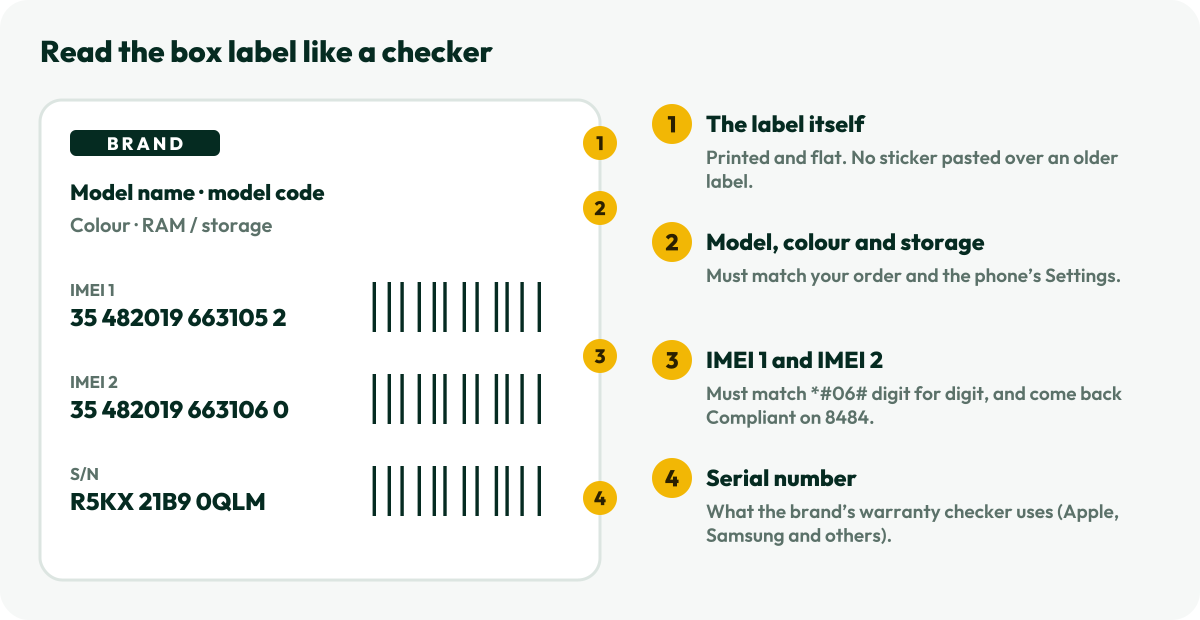
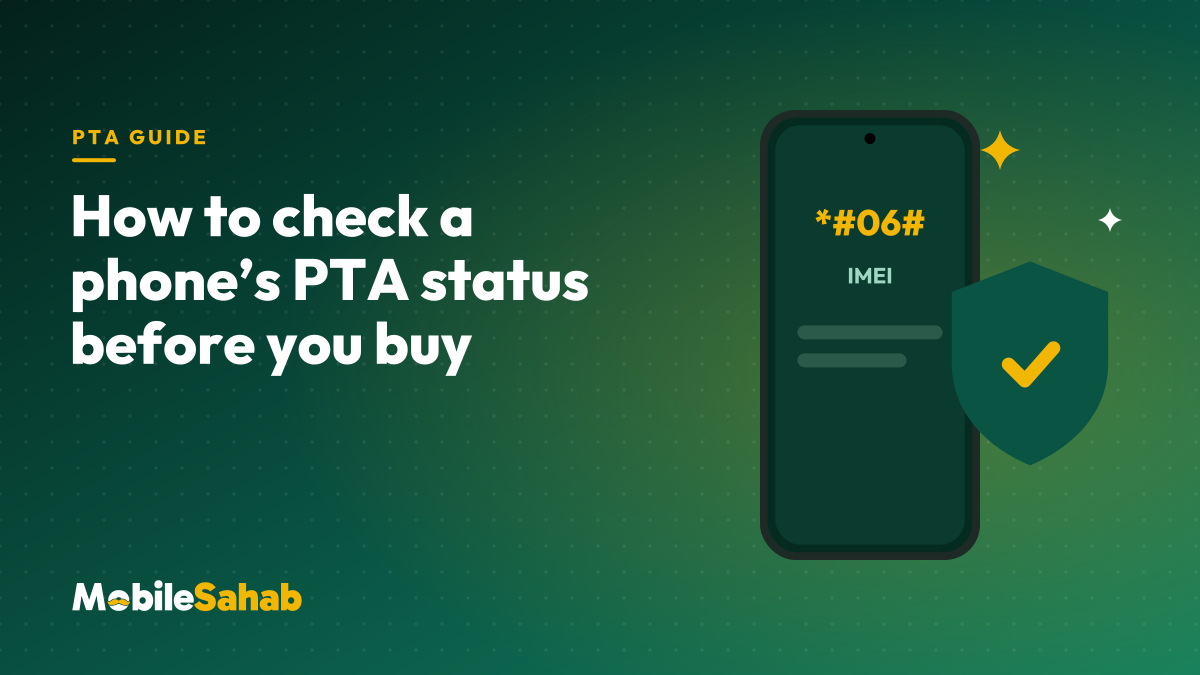
The label on the side or back of the box lists the model, colour, storage, every IMEI and usually the serial number. Dial *#06# on the phone: the IMEIs on screen must match the label digit for digit. Dual-SIM and eSIM phones show two.
Every number on this label should match something on the phone.
A label stuck over another label, or one IMEI that matches and one that doesn’t, means the phone and the box didn’t start life together. That is the most common sign of a re-boxed phone.
Step 3: Check PTA status for every IMEI
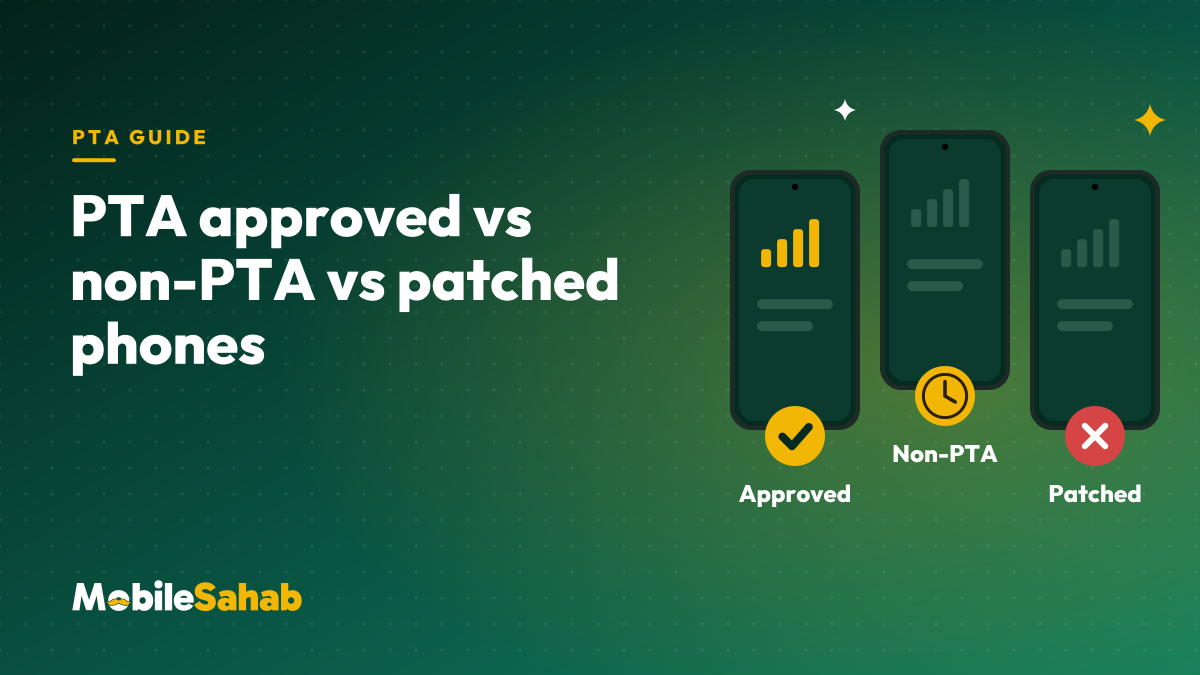
Send each IMEI to 8484 by SMS, or enter it on PTA’s DVS site. The reply should say Compliant and name the same brand and model you are holding. Our PTA status guide explains each reply, and PTA approved vs non-PTA vs patched explains why a mismatched model is a red flag.
Step 4: Use the brand’s own checker
Most brands let you check a phone by IMEI or serial number on their official site. A genuine new phone should come back as the right model, and the warranty or activation date should not be weeks before you bought it.
Brand
Where to check
What it tells you
Apple
Settings > General > AppleCare & Warranty, or Check Coverage
Step 5: Battery cycles and repair history, where the phone shows them
Some phones show how much their battery has been used. A new phone should look new here:
iPhone 15 and later (iOS 17.4 or later): Settings > Battery > Battery Health shows the cycle count, manufacture date and date of first use. The cycle count should be very low, and first use should be around the day you set it up.
iPhone repair history: on iOS 15.2 and later, Settings > General > About shows a Parts and Service History section only if the phone has been repaired. A new phone shouldn’t have one.
Google Pixel 8a and later: Settings > About phone > Battery information shows the cycle count, manufacture date and first use.
Samsung Galaxy: the Samsung Members app runs a battery test (Support, then the phone diagnostics, then Battery status), though it doesn’t show a cycle count.
Other brands vary, so if your phone doesn’t show this, skip the step. The first four checks matter more.
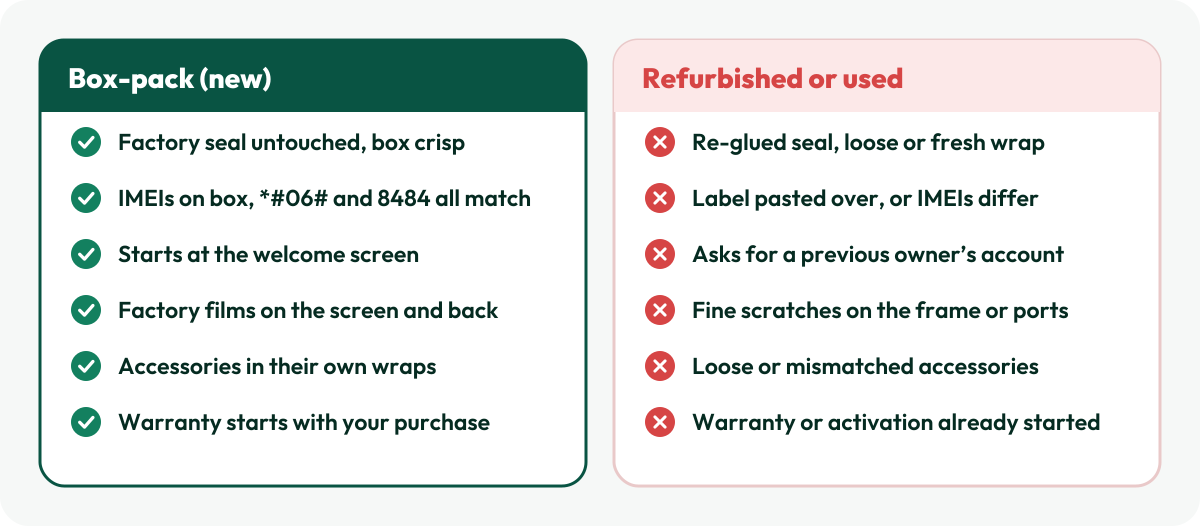
Signs of a refurbished or used phone
If two or more items on the right show up, stop and ask the seller before you set the phone up.
One check catches a lot: a new phone always starts at the welcome screen. If it asks for someone else’s Apple Account or Google account, it has been used and not properly reset, and you shouldn’t accept it as new.
Frequently asked questions
Does an opened box always mean the phone is used?
No. Some shops open a box to show the phone before sale. That is why the IMEI, PTA, brand checker and battery checks matter more than the wrap alone. If those all look new, the phone very likely is.
What is a kit phone?
In the market, “kit” usually means the handset without its original box or accessories. It is normally used, often non-PTA, and rarely has a local official warranty. Price it as a used phone.
Can a seller fake the box label?
Labels can be reprinted, which is why you match three things, not one: the box label, *#06# on the phone, and the PTA or brand checker. A fake has trouble getting all three to agree.
What do I do if my MobileSahab order fails a check?
Stop, don’t set the phone up, and contact us within 48 hours of delivery with your order number and photos or your unboxing video. Our warranty page covers faults that appear later.
About Mobile Sahab
MobileSahab is an online phone store in Lahore that sells only new, box-packed, PTA-approved phones and genuine accessories. Our guides come from what we check every day before dispatch: IMEIs on PTA’s DIRBS system, seals and warranty cards, and chargers and cables we test ourselves.
A shop’s stamp and a brand’s warranty are different promises. Here is what each covers, where to check a phone’s warranty on the brand’s own site, and how to claim.
Three phones can look identical and still behave very differently on a Pakistani SIM. Here is what PTA approved, non-PTA and patched really mean, and which one is worth your money.